

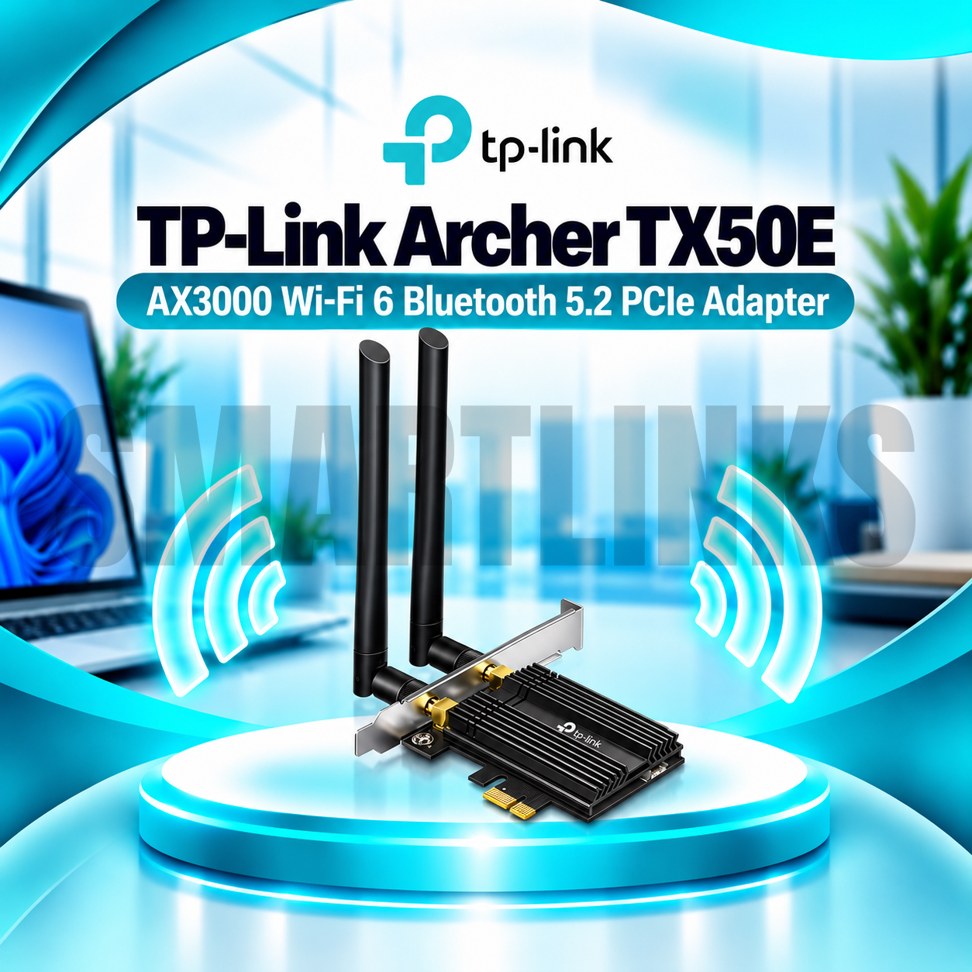
TP-Link Archer TX50E AX3000 Dual Band WiFi 6 PCIe Adapter with Bluetooth, 2402Mbps Speed, WPA3 & High-Gain Antennas

- AX3000 WiFi 6 – Fast wireless connectivity
- 2402Mbps (5GHz) – High-speed performance
- 574Mbps (2.4GHz) – Reliable everyday connectivity
- Bluetooth Connectivity – Connect wireless accessories
- Dual High-Gain Antennas – Improved signal reception
- OFDMA & MU-MIMO – Efficient multi-device performance
- WPA3 Security – Enhanced network protection
- PCIe Interface – Easy desktop installation
- 160MHz Bandwidth – Supports faster WiFi connections
- Built-in Heat Sink – Improved heat management
- Discover More: TP-Link Adapters.
Description

TP-Link Archer TX50E AX3000 WiFi 6 PCIe Adapter
The TP-Link Archer TX50E is a dual-band WiFi 6 PCI Express adapter built for compatible desktop computers. It upgrades an existing PC with wireless networking and Bluetooth connectivity through an internal expansion card. With two external high-gain antennas, support for modern wireless technologies, and a dedicated heat sink, it suits users seeking reliable connectivity for office work, entertainment, and online communication.
AX3000 Dual-Band WiFi 6
The Archer TX50E supports theoretical wireless link rates up to 2402Mbps on 5GHz and 574Mbps on 2.4GHz. Its 160MHz channel capability can help deliver higher link rates when a compatible router and suitable wireless conditions are available. The 5GHz band is useful for bandwidth-intensive activities, while 2.4GHz offers broader compatibility. Actual internet speeds depend on your subscription, router, distance, interference, and network congestion. AX3000 represents a wireless performance class, not a guaranteed download speed.
Bluetooth for Wireless Accessories
Built-in Bluetooth support allows compatible desktops to connect supported headphones, keyboards, mice, controllers, and other accessories. The Bluetooth version depends on the adapter’s hardware revision: different Archer TX50E versions support Bluetooth 5.0, 5.2, or 5.3. Bluetooth functionality requires connecting the supplied cable to an available internal motherboard USB header. Check your motherboard and the product version before installation.
Two High-Gain Antennas
The adapter includes two external dual-band antennas that can be positioned to suit your desktop setup. Proper antenna orientation may improve reception when a computer is placed near furniture or other obstacles. Thick walls, metal cases, and neighboring wireless networks can still reduce signal quality. Antennas cannot guarantee complete coverage in every environment.
OFDMA and MU-MIMO Efficiency
OFDMA and MU-MIMO help compatible wireless networks communicate with multiple devices more efficiently. These technologies may improve responsiveness when several household or office devices share the same router. Their benefits depend on router capabilities and network traffic. They do not increase the speed of your internet service or eliminate every source of latency.
WPA3 Wireless Security
WPA3 support provides an updated wireless security option when used with compatible routers and operating systems. Strong passwords, trusted drivers, and current router firmware remain important for protecting your connection. The adapter also supports relevant earlier security configurations, subject to hardware version and driver compatibility.
PCI Express Installation
The Archer TX50E fits a suitable PCI Express slot inside a desktop computer. Switch off the PC, disconnect its power supply, and follow appropriate installation precautions before opening the case. Confirm that your motherboard has a free compatible slot, sufficient clearance, and an available USB header if Bluetooth is required. The adapter is not intended for standard laptop expansion bays.
Heat Sink and Everyday Use
A dedicated heat sink assists thermal management during normal operation. The adapter is suitable for browsing, video calls, online classes, streaming, and gaming on compatible systems. Wireless performance varies with network conditions, and the card does not replace a router, modem, or internet subscription. Windows compatibility and driver availability should be checked for the exact hardware revision.
Choose the Correct Hardware Version
Before purchasing, verify the version printed on the packaging or product label. This matters particularly for Bluetooth specifications and driver selection. Overall, the TP-Link Archer TX50E offers AX3000 WiFi 6 networking, flexible external antennas, Bluetooth connectivity, and modern wireless security in one internal desktop upgrade.
For a smoother setup, download the driver that matches your specific hardware version from TP-Link’s support website. Connect the antennas securely, then position them away from obstructions where practical. If wireless speeds appear lower than expected, review router channel width, signal strength, nearby interference, and connected devices before changing equipment or purchasing additional networking accessories.
Discover More from TP-Link
Want to explore more about TP-Link WiFi Routers? Visit the official TP-Link website for product insights, support, and the latest smart security solutions.
Official Resource: Explore TP-Link











































Reviews
Clear filtersThere are no reviews yet.