
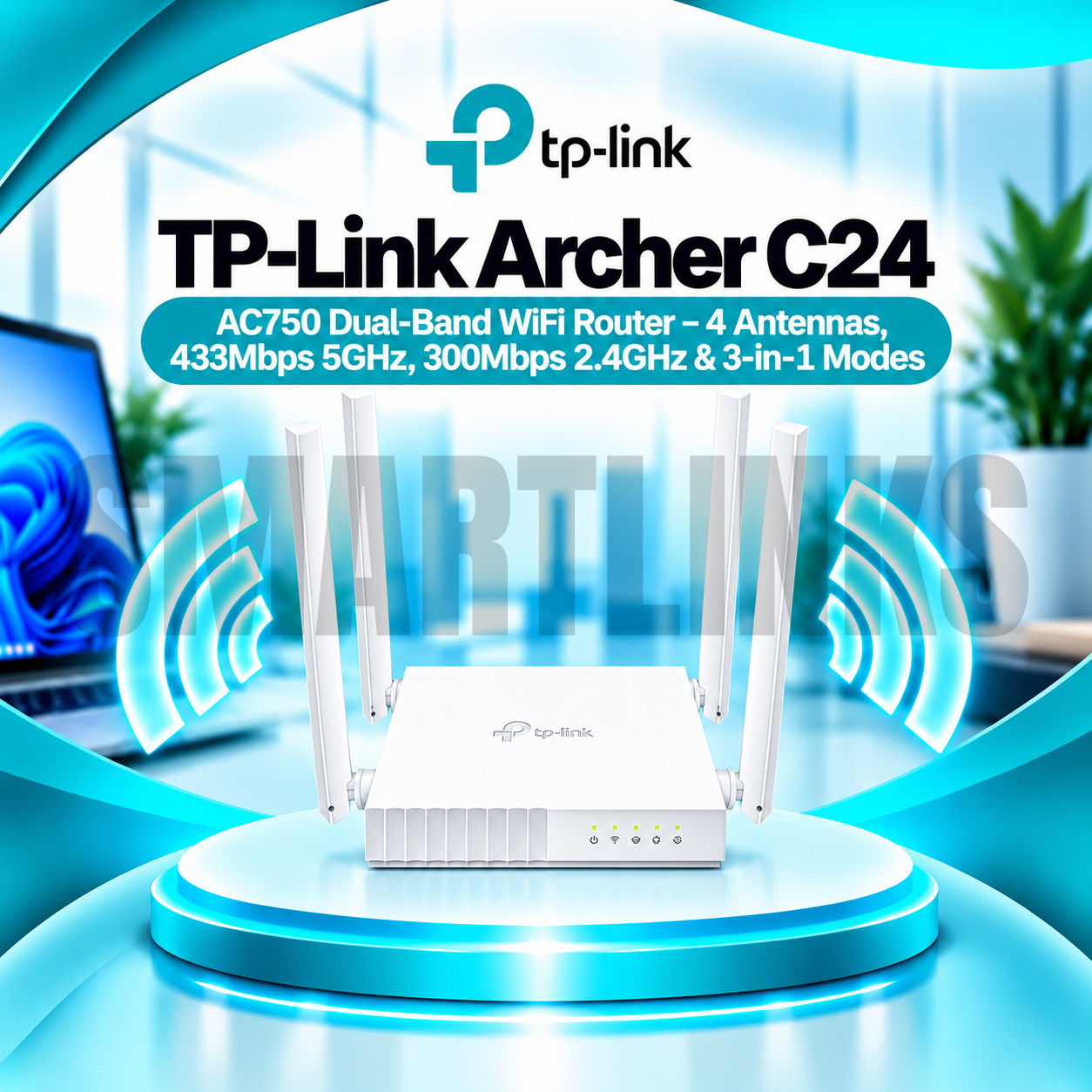




TP-Link Archer C24 AC750 Dual-Band WiFi Router – 4 Antennas, 433Mbps 5GHz, 300Mbps 2.4GHz & 3-in-1 Modes

- AC750 Dual-Band WiFi – Reliable connectivity
- 433Mbps (5GHz) – Faster wireless band
- 300Mbps (2.4GHz) – Everyday WiFi coverage
- 4 Fixed Antennas – Wider signal coverage
- 3-in-1 Modes – Router, AP and Extender
- 4 LAN Ports – Wired device connections
- Parental Controls – Manage internet access
- Guest Network – Separate visitor WiFi
- Tether App – Easy router management
- Compact Design – Convenient placement
- Discover More: TP-Link Wifi Routers
Description

TP-Link Archer C24 AC750 Dual Band WiFi Router
The TP-Link Archer C24 is a compact dual band wireless router designed for everyday internet access in homes, apartments, and small offices. It supports WiFi 5 technology, four fixed external antennas, and flexible operating modes. Users can connect compatible phones, laptops, televisions, and other devices to an existing broadband service while managing common networking settings through a browser or the TP-Link Tether app.
AC750 Dual Band Wireless Connectivity
The Archer C24 provides theoretical wireless link rates up to 433Mbps on 5GHz and 300Mbps on 2.4GHz. The 5GHz band is useful for compatible devices needing higher wireless capacity at shorter distances. The 2.4GHz band can serve devices that benefit from broader signal reach. AC750 describes a combined wireless class, not a guaranteed internet download speed. Actual results depend on your internet plan, interference, router placement, and connected equipment.
Four Fixed External Antennas
Four fixed antennas distribute wireless signals in different directions and help provide practical coverage for suitable indoor spaces. Position the router in an open area, preferably away from large metal objects and enclosed cabinets. Thick walls, multiple floors, nearby wireless networks, and electrical interference may weaken reception. Coverage claims are estimates rather than guarantees for every building or room.
Three Flexible Operating Modes
Router Mode shares an internet connection with wireless and wired devices. Access Point Mode adds WiFi access to a compatible existing wired network. Range Extender Mode can repeat a supported wireless signal to reach another area, although repeating may reduce effective throughput. Choose the mode that matches your network layout and follow the appropriate setup instructions. Available features can differ between modes.
Fast Ethernet Connections
The Archer C24 includes one 10/100Mbps WAN port and four 10/100Mbps LAN ports. The WAN port connects to a suitable modem or upstream network, while LAN ports connect computers, televisions, or other Ethernet equipment. These are Fast Ethernet connections, not Gigabit ports. Consequently, wired internet throughput is limited by the port capability and other network conditions, even when the advertised wireless link rate is higher.
Parental Controls and Guest Access
Parental controls allow supported time restrictions and website filtering for selected devices. Separate guest networks can provide visitor access without sharing your primary wireless password. The router also includes network security settings and an SPI firewall. Use strong passwords, check connected devices regularly, and install firmware updates for your exact hardware revision. Supported encryption options can vary by regional version.
Convenient Setup and Management
The TP-Link Tether app provides convenient management on compatible Android and iOS devices. A browser based interface offers another way to configure wireless names, passwords, and network settings. WPS can simplify pairing with compatible equipment when enabled. The router supports IPv4 and IPv6 and includes settings for IPTV services on suitable connections. Your internet provider may require specific configuration details.
Compact Everyday Networking
The compact, mountable housing fits conveniently on desks or suitable walls. Archer C24 is designed for general browsing, online classes, video meetings, and routine streaming under appropriate network conditions. It does not contain a cellular modem, provide a broadband subscription, or offer WiFi 6 technology. Before purchasing, verify the hardware version, Ethernet speed requirements, available space, and desired operating mode. For internet plans exceeding 100Mbps, consider a router with Gigabit WAN and LAN ports to avoid a wired port bottleneck.
Use the supplied power adapter and keep ventilation clear. Place the router where antennas have fewer obstacles between devices. If connections become unstable, review channel congestion, cable condition, firmware version, and modem status. Compare your internet package with the router’s 100Mbps WAN limitation before upgrading service.
Discover More from TP-Link
Want to explore more about TP-Link WiFi Routers? Visit the official TP-Link website for product insights, support, and the latest smart security solutions.
Official Resource: Explore TP-Link










































Reviews
Clear filtersThere are no reviews yet.