
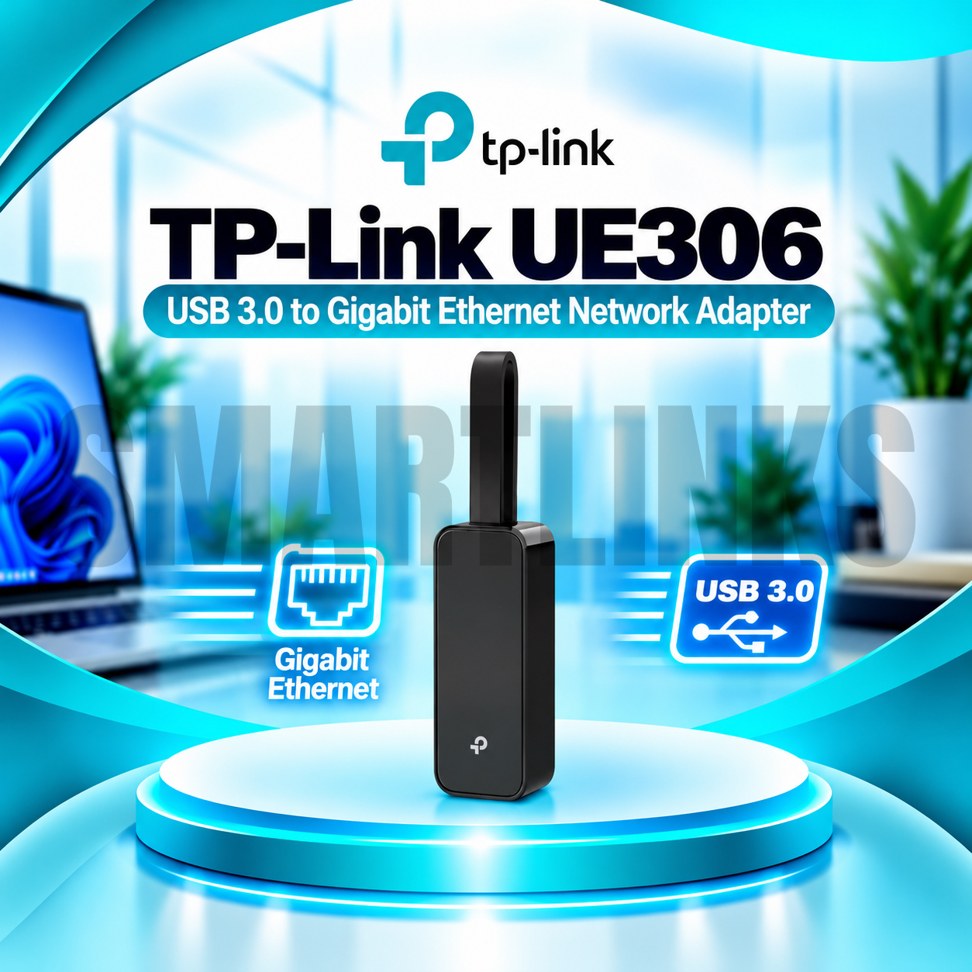



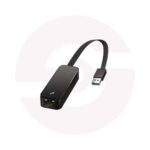
TP-Link UE300 USB 3.0 to Gigabit Ethernet Adapter – 1000Mbps RJ45 LAN Network Adapter for Laptop & PC

- 1000Mbps Gigabit LAN – Fast wired connection
- USB 3.0 – High-speed data transfer
- RJ45 Ethernet Port – Easy network access
- Plug & Play – Simple installation
- Foldable Design – Easy to carry
- Compact & Lightweight – Travel-friendly
- Wide Compatibility – Supports multiple operating systems
- Laptop & PC Support – Convenient wired networking
- Discover More: TP-Link Adapters.
Description

TP-Link UE300 USB 3.0 to Gigabit Ethernet Adapter
The TP-Link UE300 is a compact network adapter that adds a wired Ethernet connection to compatible laptops and desktop computers. It connects through a USB Type-A port and provides a standard RJ45 socket for network cables. Whether your laptop lacks an Ethernet port or your computer needs another wired connection, this portable adapter offers a straightforward solution for everyday work, study, and home networking.
Gigabit Ethernet Performance
The UE300 supports Ethernet link speeds of 10Mbps, 100Mbps, and 1000Mbps. When connected to compatible Gigabit equipment through a suitable cable, it can negotiate a link rate of up to 1000Mbps. This is a connection specification rather than a guaranteed internet speed. Actual downloads and local transfers depend on your router, switch, cable, computer, network traffic, and internet subscription. A slower network component can limit overall performance.
USB 3.0 Connectivity
The built-in USB 3.0 Type-A connector makes installation convenient without opening your computer or adding an internal card. USB 3.0 offers enough interface bandwidth for Gigabit Ethernet under suitable conditions. The adapter also works with compatible USB 2.0 and USB 1.1 ports, although older interfaces can restrict transfer speeds. Use an available USB 3.0 port when possible to obtain the best practical results.
Compact Foldable Design
A short integrated cable folds into the adapter housing for convenient storage. This design makes the UE300 easy to carry with a laptop, keep in a desk drawer, or pack for business travel. Its compact body takes little space beside other accessories. Handle the USB connector carefully and avoid bending the cable sharply to help protect it during repeated use.
Stable Wired Networking
A physical Ethernet connection can be useful for video conferences, remote work, online classes, software downloads, and file sharing. Unlike WiFi, wired networking does not rely on wireless signal strength or compete with nearby radio networks. However, performance still depends on the quality of the complete network. The UE300 does not include a modem, router, WiFi transmitter, or internet service.
Simple Installation
On supported operating systems, the adapter can work through plug-and-play detection. TP-Link lists Windows 11 and Windows 10, macOS, ChromeOS, and Linux among supported platforms. Some older operating systems require a separate driver, and requirements may vary by hardware revision. If the device is not detected, identify its hardware version and download the appropriate driver from the official TP-Link support website.
How to Connect
Insert the USB plug into a compatible computer port. Connect one end of an Ethernet cable to the UE300 RJ45 socket and the other end to a router, network switch, or active wall outlet. Allow your operating system to recognize the connection. If networking does not start, check the cable, network equipment, USB port, and system settings before replacing the adapter.
Compatibility and Buying Advice
The UE300 uses USB Type-A rather than USB Type-C. Computers with only USB-C ports need an appropriate separate adapter or a different Ethernet model. It does not provide extra USB ports or Power over Ethernet functionality. Before ordering, confirm your computer connection, operating system, and required network speed. For a convenient wired upgrade, the TP-Link UE300 combines Gigabit Ethernet, USB 3.0, and portable construction in one practical accessory.
For the best experience, use a reliable Ethernet cable rated for your intended network speed and connect through configured networking equipment. Keep your operating system updated and avoid unsupported driver downloads. Remember that a Gigabit connection does not automatically make a slower broadband plan faster. The adapter is useful for slim laptops without built-in LAN sockets, shared workstations, and computers needing dependable wired access during daily tasks.
Discover More from TP-Link
Want to explore more about TP-Link WiFi Routers? Visit the official TP-Link website for product insights, support, and the latest smart security solutions.
Official Resource: Explore TP-Link










































Reviews
Clear filtersThere are no reviews yet.