
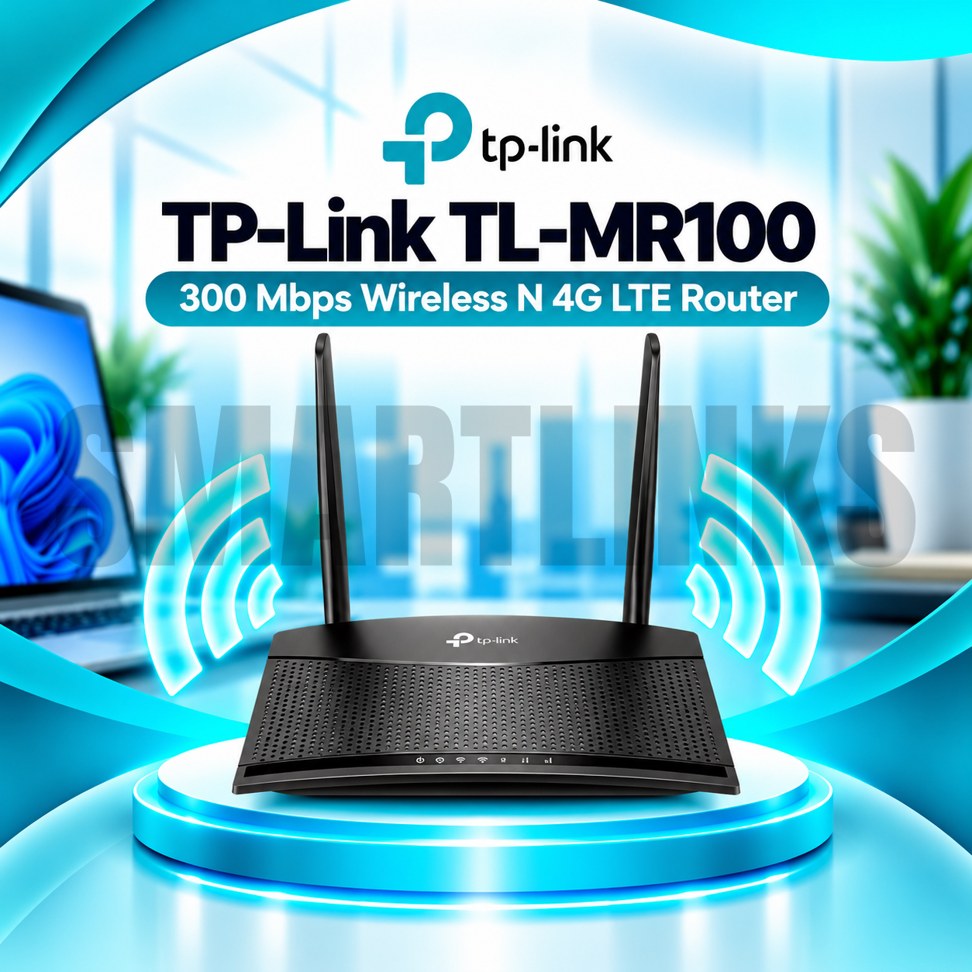


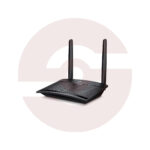

TP-Link TL-MR100 300Mbps 4G LTE WiFi Router – SIM Supported, 150Mbps LTE, 2 Detachable Antennas & 32 Device Support

- 4G LTE Cat4 – Up to 150Mbps theoretical download speed
- 300Mbps Wireless N – 2.4GHz WiFi connectivity
- Built-in SIM Slot – Share compatible mobile internet
- 2 Detachable LTE Antennas – Flexible cellular reception
- Up to 32 WiFi Devices – Connect multiple users
- 2 Fast Ethernet Ports – Wired networking
- LAN/WAN Port – Use a wired broadband connection
- WAN Failover – Backup connectivity using LTE
- Guest WiFi – Separate visitor access
- Parental Controls – Manage family internet access
- WPA/WPA2 Security – Wireless network protection
- Compact Design – Suitable for desks and small spaces
- Discover More: TP-Link Wifi Routers
Description

TP-Link TL-MR100 300Mbps 4G LTE WiFi Router
The TP-Link TL-MR100 is a wireless router for sharing mobile broadband with phones, laptops, and connected devices. Its integrated 4G LTE modem allows compatible SIM cards to provide internet without a fixed telephone or fiber connection. With detachable cellular antennas, two Ethernet interfaces, and management settings, this router suits homes, small businesses, temporary offices, and locations where wired broadband is unavailable.
Fast 4G LTE Internet Sharing
The built in LTE Cat4 modem supports theoretical download speeds up to 150Mbps and upload speeds up to 50Mbps. Actual mobile internet performance depends on operator coverage, congestion, signal strength, supported frequency bands, and subscription limits. Insert an activated SIM card of the correct size for your hardware revision, then configure the connection when necessary. Some mobile providers require APN settings or impose restrictions on router usage.
300Mbps Wireless N Connectivity
The TL-MR100 provides theoretical WiFi link speeds up to 300Mbps using the 2.4GHz band and IEEE 802.11n technology. This band supports everyday devices, including smartphones, tablets, and computers. Wireless speed is different from internet download speed, and practical throughput may be lower. The router does not support a separate 5GHz band, WiFi 6, or 5G cellular networking.
Two Detachable LTE Antennas
Two external detachable antennas help the integrated cellular modem receive mobile signals. Their effectiveness depends on placement, surrounding structures, and local network conditions. Position the router near a window or elevated location when reception is weak, while avoiding heat and moisture. These antennas serve LTE reception and should not be advertised as detachable WiFi antennas. Only use compatible antenna replacements with suitable connectors.
Connections for Wired Devices
One 10/100Mbps LAN port connects a computer, switch, or other Ethernet device. A second 10/100Mbps LAN/WAN port provides flexibility for wired broadband. Both interfaces are Fast Ethernet rather than Gigabit, so they can limit throughput on faster wired services. The router can operate using mobile broadband or an appropriate Ethernet internet connection, with supported WAN failover providing a backup arrangement.
Connect Up to 32 Devices
TP-Link advertises support for sharing the mobile connection with up to 32 wireless devices. Actual experience depends on the number of active users, application demands, mobile bandwidth, and radio interference. Light browsing and messaging require less capacity than simultaneous video streaming or large downloads. Plan your data package because multiple connected users can consume mobile allowances quickly.
Security and Family Management
The router includes WPA and WPA2 wireless encryption, guest network settings, parental controls, and firewall functions. A separate guest network helps visitors connect without using your primary wireless password. Parents can configure supported restrictions for selected devices and browsing periods. Use strong credentials, disable unnecessary access, and keep firmware updated for the exact hardware version. Avoid legacy WEP security even where configuration menus still offer it.
Easy Installation and Everyday Operation
Connect the supplied power adapter, attach the LTE antennas, and insert the supported SIM card according to the product label. Follow the quick installation guide to establish mobile or wired internet access. The browser management interface provides configuration and diagnostic options. Check signal quality, SIM activation, APN details, and connected cables if the internet does not work immediately.
Important Buying Considerations
Before ordering, verify the exact TL-MR100 hardware revision, SIM slot size, LTE frequency bands, local operator compatibility, and applicable warranty. Different revisions may use Micro SIM or Nano SIM slots. The router is intended for indoor use and does not include an optical fiber terminal. Confirm that your internet package and coverage meet your household or workplace needs.
Choose a suitable installation position and protect your network with secure passwords.
Discover More from TP-Link
Want to explore more about TP-Link WiFi Routers? Visit the official TP-Link website for product insights, support, and the latest smart security solutions.
Official Resource: Explore TP-Link










































Reviews
Clear filtersThere are no reviews yet.