
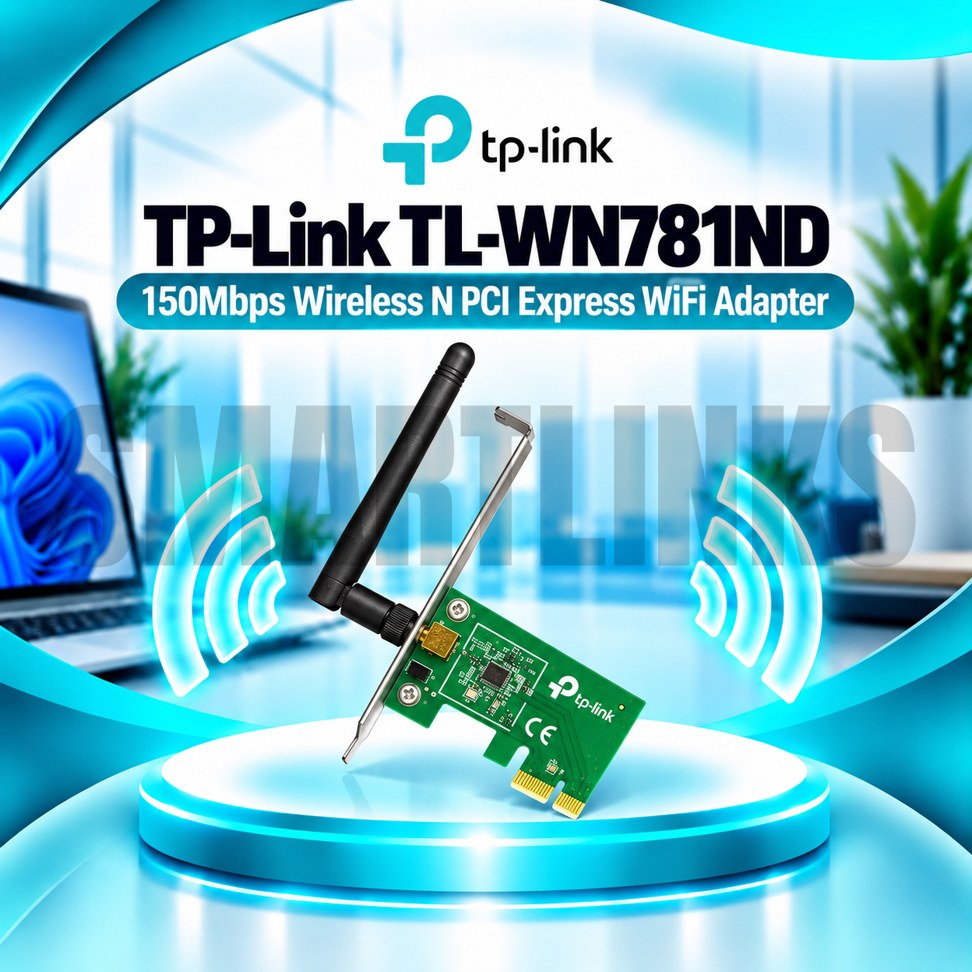

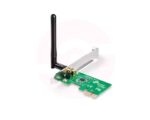
TP-Link TL-WN781ND 150Mbps Wireless N PCI Express WiFi Adapter with Detachable Antenna for Desktop PC

- 150Mbps WiFi – Everyday wireless connectivity
- 2.4GHz Wireless N – Broad router compatibility
- PCIe Interface – Internal desktop connection
- 2dBi Antenna – Adjustable wireless reception
- Detachable Antenna – Flexible positioning
- WPA/WPA2 Security – Protected WiFi connection
- Easy Installation – Simple desktop upgrade
- Desktop PC Support – Ideal for everyday use
- Discover More: TP-Link Adapters.
Description

TP-Link TL-WN781ND 150Mbps Wireless N PCI Express Adapter
The TP-Link TL-WN781ND is a Wireless N PCI Express adapter designed to add WiFi connectivity to compatible desktop computers. It installs inside an available PCIe expansion slot and connects your PC to an existing 2.4GHz wireless network. Featuring a detachable antenna, straightforward installation, and support for established wireless security standards, this adapter is a practical choice for everyday browsing, online learning, and office activities.
150Mbps Wireless N Connectivity
The TL-WN781ND supports IEEE 802.11n, 802.11g, and 802.11b wireless standards, with theoretical connection rates reaching 150Mbps. It operates exclusively on the 2.4GHz frequency band, making it suitable for compatible home and office routers. Actual internet speeds are usually lower than the advertised wireless link rate because of network overhead, interference, distance, router limitations, and your internet subscription. It cannot connect directly to networks broadcasting only 5GHz or 6GHz.
PCI Express Desktop Installation
This adapter uses a PCI Express interface rather than a USB connection. Installation requires a compatible desktop motherboard with an available PCIe slot and enough space inside the computer case. Before fitting the card, switch off the computer, disconnect the power supply, and follow appropriate precautions against static electricity. After installation, attach the antenna and install the correct driver for your hardware revision and operating system.
Detachable 2dBi Antenna
A detachable omnidirectional antenna with 2dBi gain helps the adapter communicate with nearby wireless routers. The antenna uses an RP-SMA connector and can be rotated to suit the computer’s position. Its detachable design offers flexibility for compatible replacement antennas, although compatibility and placement should be checked carefully. Thick walls, metal cases, nearby electronics, and distance can still reduce reception. Antenna gain does not guarantee coverage throughout an entire building.
Wireless Security
The TL-WN781ND supports WPA and WPA2 security options on compatible networks, helping protect wireless communication when correctly configured. Earlier WEP encryption is also listed for legacy compatibility, but WPA2 is preferable when available. Use a strong WiFi password, keep your router firmware updated, and obtain drivers from trusted sources. This model should not be advertised as supporting WPA3 unless your specific hardware and official documentation confirm otherwise.
Practical Everyday Applications
This PCIe adapter can provide wireless access for desktop computers used for email, web browsing, document sharing, school portals, and basic streaming. It is intended for general connectivity rather than the highest bandwidth gaming or large file transfers. Performance depends on the router, network activity, and signal quality. The adapter does not supply internet service, create a modem connection, or add Bluetooth capability.
Operating System Compatibility
TP-Link lists Windows 11 and several earlier Windows versions for relevant hardware revisions. Linux compatibility and driver availability depend on the exact version and operating system environment. Check the hardware revision printed on your product label before downloading installation software. Different revisions may have different drivers, installation procedures, or accessories, so confirm compatibility before purchasing.
A Straightforward Desktop WiFi Upgrade
Overall, the TP-Link TL-WN781ND combines 150Mbps Wireless N connectivity, internal PCI Express installation, and a detachable 2dBi antenna in one practical desktop networking card. It provides an affordable way to add basic 2.4GHz WiFi to a compatible computer without occupying a USB port. For best results, confirm motherboard compatibility, position the antenna away from obstructions, and connect to a properly configured wireless router. Remember that advertised wireless speeds are theoretical and may differ from actual performance.
Before ordering, inspect your computer case to ensure the expansion slot is accessible and the antenna has room outside the rear panel. For unstable connections, check router channels, interference, and signal strength. Updated official drivers may improve compatibility over time.
Discover More from TP-Link
Want to explore more about TP-Link WiFi Routers? Visit the official TP-Link website for product insights, support, and the latest smart security solutions.
Official Resource: Explore TP-Link










































Reviews
Clear filtersThere are no reviews yet.