


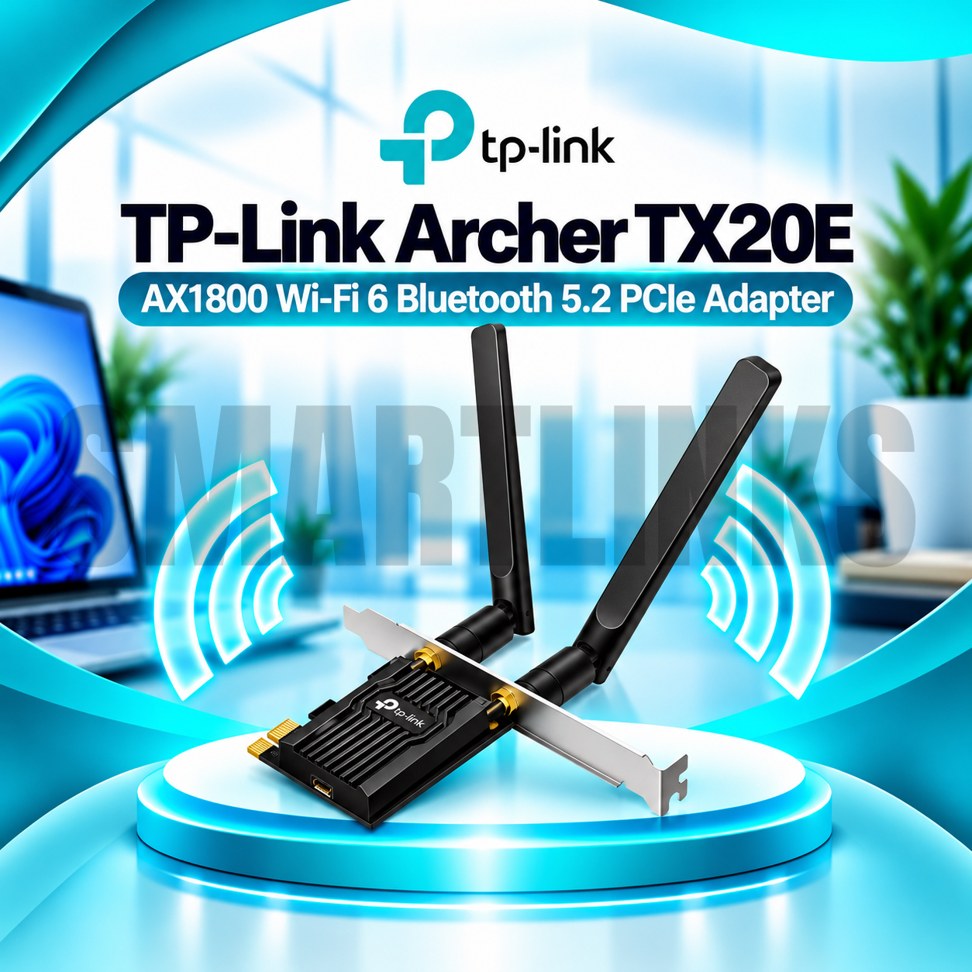

TP-Link Archer TX20E AX1800 WiFi 6 PCI Express Adapter with Bluetooth 5.2, Dual Band WiFi & 2 High-Gain Antennas

- AX1800 Dual-Band WiFi 6
- 1201Mbps on 5GHz
- 574Mbps on 2.4GHz
- Bluetooth 5.2
- PCI Express Interface
- 2 High-Gain Antennas
- OFDMA Technology
- MU-MIMO Support
- WPA3 Security
- Low-Latency Networking
- Discover More: TP-Link Adapters.
Description

The TP-Link Archer TX20E is an AX1800 WiFi 6 PCI Express adapter designed to upgrade compatible desktop computers with modern wireless networking and Bluetooth connectivity. Installed inside a suitable PCIe slot, it provides dual band WiFi access without occupying an external USB port. Two adjustable antennas, OFDMA, MU-MIMO, and WPA3 support make it a practical option for home offices, gaming desktops, study setups, and everyday computer use.
Dual Band WiFi 6 Performance
The Archer TX20E supports theoretical wireless link rates up to 1201Mbps on 5GHz and 574Mbps on 2.4GHz. WiFi 6 technology improves how compatible devices communicate on busy networks, especially when multiple users are active. The 5GHz band can offer additional capacity, while 2.4GHz provides broader compatibility. Actual speeds depend on your router, signal quality, interference, distance, connected equipment, and internet subscription. AX1800 describes the combined wireless class, not a guaranteed download speed.
Bluetooth 5.2 Connectivity
Built in Bluetooth 5.2 lets compatible desktop computers connect to supported wireless accessories, including headphones, keyboards, mice, and controllers. Bluetooth operation requires the included internal USB cable to connect the adapter to a compatible motherboard USB header. Without that connection, WiFi may operate while Bluetooth remains unavailable. Check motherboard connections, operating system support, and accessory compatibility before installation.
PCI Express Installation
The adapter fits an appropriate PCI Express expansion slot in a desktop motherboard. Installing an internal card keeps the main wireless hardware inside the computer case, while its external antennas remain accessible for adjustment. Turn off the computer, disconnect power, and follow static electricity precautions before installation. A free compatible slot and sufficient case clearance are required. The product is not designed for ordinary laptop expansion bays.
Two High Gain Antennas
Two external antennas help receive and transmit wireless signals. Their adjustable orientation provides flexibility for desktops placed beside monitors or underneath desks. Keep antennas clear of large metal objects when practical. Thick walls, long distances, and competing wireless signals may still reduce reception. Antennas improve positioning options but cannot guarantee coverage in every room.
OFDMA and MU-MIMO
OFDMA and MU-MIMO help compatible WiFi 6 equipment use available wireless capacity more efficiently. These technologies can improve communication when several devices share a busy router. Benefits depend on router support, client capabilities, and network traffic. They do not increase the speed purchased from an internet service provider.
WPA3 Wireless Security
WPA3 support offers an additional wireless security option when connecting to compatible routers configured appropriately. Strong passwords, trusted drivers, and updated router firmware remain important. Available encryption features may depend on operating system, firmware, and hardware revision. Check official compatibility information before purchasing.
Everyday Desktop Applications
The Archer TX20E is suitable for browsing, video meetings, online classes, cloud applications, streaming, and gaming on compatible desktop computers. Bluetooth support also makes it useful for connecting everyday wireless peripherals. This adapter does not replace your router, modem, or internet subscription. It needs an existing wireless network for internet access.
Reliable Setup and Performance
For best results, install the correct driver for your hardware revision and operating system. Connect the Bluetooth header cable if Bluetooth is required. Position the antennas thoughtfully and connect to a compatible WiFi 6 router to benefit from supported features. Wireless performance changes with channel congestion, placement, and surrounding obstacles.
Practical Wireless Upgrade
Overall, the TP-Link Archer TX20E combines AX1800 WiFi 6, Bluetooth 5.2, PCI Express installation, external antennas, OFDMA, MU-MIMO, and WPA3 in one desktop expansion card. It provides a convenient internal upgrade for compatible computers seeking modern wireless connectivity without replacing their existing motherboard. Before ordering, confirm your motherboard has a free PCIe slot and an available internal USB header.
Discover More from TP-Link
Want to explore more about TP-Link WiFi Routers? Visit the official TP-Link website for product insights, support, and the latest smart security solutions.
Official Resource: Explore TP-Link












































Reviews
Clear filtersThere are no reviews yet.