
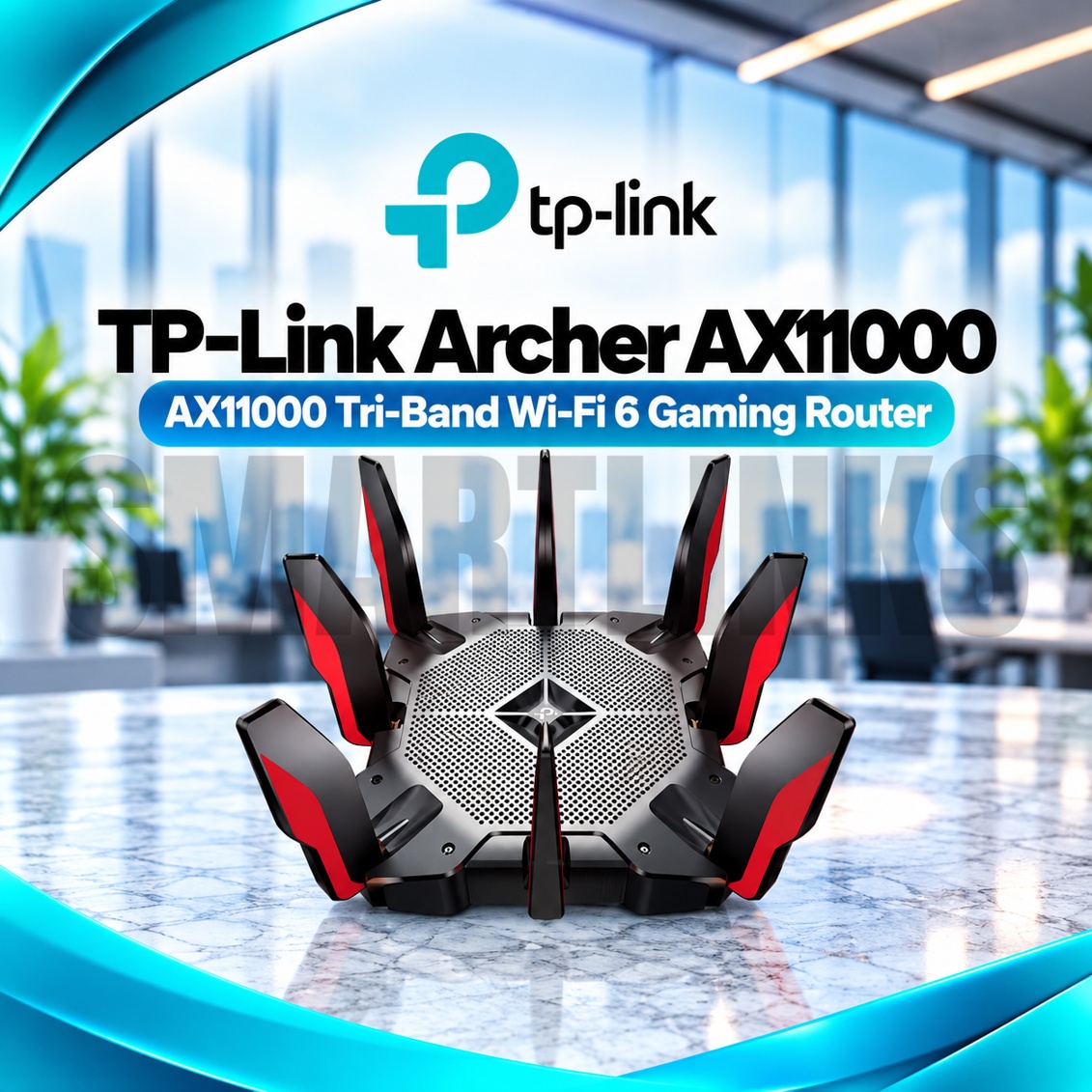



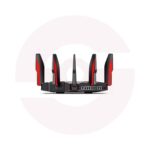
TP-Link Archer AX11000 Tri-Band WiFi 6 Gaming Router – AX11000, 2.5G WAN, 8 Gigabit LAN Ports & Game Accelerator

- AX11000 Tri-Band WiFi 6 – Three wireless bands
- 4804Mbps Dedicated Gaming Band – High-capacity 5GHz connectivity
- 4804Mbps Second 5GHz Band – Additional network capacity
- 1148Mbps 2.4GHz Band – Everyday wireless connectivity
- 8 Detachable Antennas – Broad signal distribution
- 2.5Gbps WAN Port – Multi-Gigabit internet connectivity
- 8 Gigabit LAN Ports – Extensive wired networking
- 1.8GHz Quad-Core CPU – Powerful processing
- Game Accelerator – Gaming traffic optimization
- Game Statistics – Monitor gaming network performance
- OFDMA & MU-MIMO – Efficient multi-device connections
- OneMesh – Compatible wireless coverage expansion
- USB-A & USB-C 3.0 – Network storage sharing
- HomeCare – Security and parental controls
- Discover More: TP-Link Wifi Routers
Description

TP-Link Archer AX11000 Tri Band WiFi 6 Gaming Router
The TP-Link Archer AX11000 is a powerful tri band gaming router designed for demanding households, competitive gaming setups, and offices with many connected devices. It combines WiFi 6 technology, a dedicated gaming network, extensive wired connectivity, and intelligent traffic controls. Eight detachable antennas and a distinctive gaming design complement practical features for streaming, video calls, large downloads, and everyday browsing.
AX11000 Tri Band Wireless Performance
The router provides theoretical link speeds up to 4804Mbps on its dedicated 5GHz gaming band, another 4804Mbps on the second 5GHz band, and 1148Mbps on 2.4GHz. Combined AX11000 capacity is not a single device speed or guaranteed internet speed. Actual throughput depends on compatible client hardware, distance, channel availability, interference, and your internet subscription. WiFi 6 clients can benefit from wireless efficiency.
Dedicated Gaming Band and Acceleration
The dedicated gaming band separates compatible gaming equipment from other household wireless traffic. Game Accelerator detects supported gaming streams and applies prioritization to help manage network resources. Game Statistics displays useful information about latency, system utilization, and gaming activity. These tools may improve local traffic handling, but they cannot guarantee lower ping when delays originate from your provider, distant servers, or external congestion.
Eight Antennas and Wireless Efficiency
Eight detachable high performance antennas help distribute signals across suitable indoor areas. Beamforming directs wireless energy toward compatible devices, while OFDMA and MU-MIMO improve efficiency when several supported clients share the network. Twelve wireless streams and supported 160MHz channels provide additional capacity under appropriate conditions. Walls, metal furniture, neighboring networks, and poor router placement can still reduce signal strength and practical performance.
Multi Gigabit Wired Connections
A dedicated 2.5Gbps WAN port connects to compatible broadband equipment for faster internet service plans. Eight Gigabit LAN ports accommodate gaming computers, consoles, televisions, network switches, and other wired devices. Supported link aggregation combines two compatible LAN connections for suitable equipment. Gigabit ports cannot individually deliver 2.5Gbps, and your modem, cables, devices, and subscription determine achievable wired speeds. An external fiber ONT is required for optical broadband.
USB Sharing and Network Expansion
The Archer AX11000 includes USB 3.0 Type A and Type C ports for compatible storage sharing, media access, and selected backup functions. OneMesh support allows compatible TP-Link extenders to expand wireless coverage. Confirm firmware and device compatibility before purchasing mesh equipment. OneMesh should not automatically be described as universal EasyMesh support. Storage transfer rates depend on the connected drive, file system, and network conditions.
Security and Family Management
TP-Link HomeCare offers supported security functions, parental controls, and traffic management tools. Guest networks provide separate access for visitors. WPA3 wireless encryption is supported with appropriate firmware and compatible devices. Set strong administrator credentials, review connected equipment, and use official firmware for your hardware revision. Security services and their availability should be checked against current regional terms before making purchase decisions.
Setup and Buying Guidance
Configure the router through the TP-Link Tether app or browser interface. Connect the WAN port to your existing modem or fiber ONT, then follow your provider’s connection requirements. Router and Access Point modes accommodate different installations. Before ordering, verify hardware revision, warranty, package contents, and your internet plan. The Archer AX11000 supports WiFi 6 rather than WiFi 7 and does not include a cellular SIM modem.
Choose a central ventilated location, secure your network, and keep equipment updated for dependable daily use.
Connect gaming systems through Ethernet when practical, reserve wireless capacity for mobile devices, and check channel regulations. Advertised aggregate wireless rates describe separate radio bands. Evaluate internet speed, household layout, and client compatibility before choosing settings or accessories.
Discover More from TP-Link
Want to explore more about TP-Link WiFi Routers? Visit the official TP-Link website for product insights, support, and the latest smart security solutions.
Official Resource: Explore TP-Link










































Reviews
Clear filtersThere are no reviews yet.