

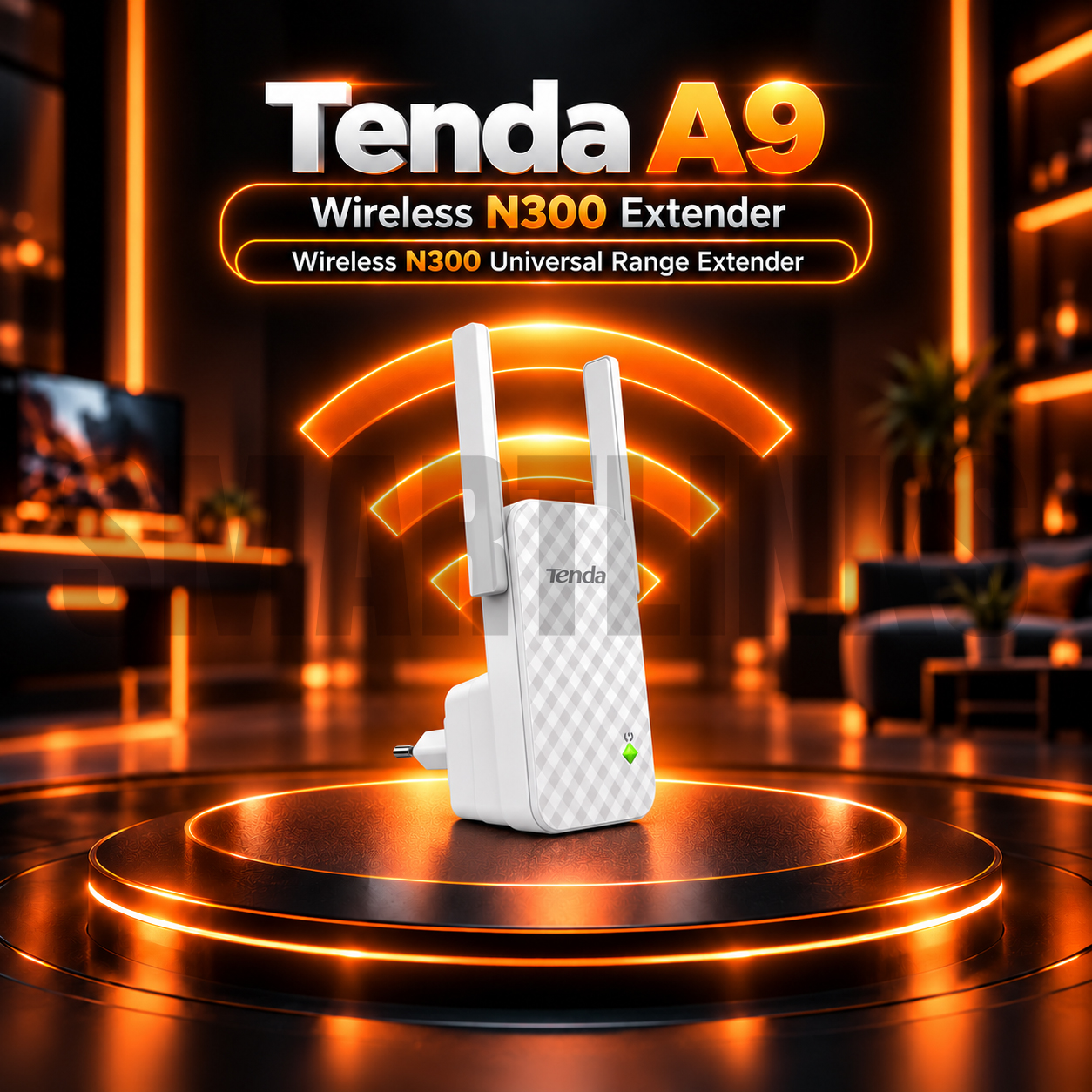
Tenda A9 N300 300Mbps Wireless WiFi Range Extender

Key Product Highlights
-
300Mbps Wireless N Speed: Supports theoretical wireless link rates up to 300Mbps.
-
2.4GHz Wireless Connectivity: Compatible with IEEE 802.11b/g/n networking standards.
-
Dual External Antennas: Two 3dBi omnidirectional antennas for wireless coverage.
-
Extended WiFi Coverage: Manufacturer-advertised coverage expansion of up to 200m² under suitable conditions.
-
Universal Repeater Mode: Extends a compatible existing wireless network.
-
One-Button WPS Extension: Simplifies pairing with supported routers.
-
Smart Signal Strength Indicator: Helps identify a suitable installation position.
-
Convenient Plug-In Design: Fits directly into a compatible electrical outlet.
-
Router Compatibility: Works with supported 2.4GHz Wireless N routers.
-
SSID Hiding: Supports hidden wireless network names.
-
Wireless Security: WPA/WPA2-PSK security support.
-
Simple Management: Web-based configuration, firmware updates and factory reset.
-
Compact Design: Suitable for homes, offices, apartments and shops.
-
Low Power Consumption: Manufacturer lists approximately 3.8W maximum for the original model.
Discover More: Tenda Range Extenders
₨4,000.00
Description

Tenda A9 N300 Wireless Universal WiFi Range Extender
The Tenda A9 N300 Wireless Universal Range Extender helps improve WiFi reception in rooms where your main router provides a weak signal. Designed for compatible 2.4GHz networks, it receives an existing wireless connection and rebroadcasts it toward nearby devices. Its plug-in body, two external antennas, and straightforward setup make it practical for apartments, homes, small offices, and shops.
300Mbps Wireless N Connectivity
The Tenda A9 supports IEEE 802.11b, 802.11g, and 802.11n standards on the 2.4GHz band. Its advertised maximum wireless link rate is 300Mbps with suitable equipment. This figure describes the radio connection, not guaranteed internet download speed. Because the extender communicates with the router and connected devices over wireless links, actual throughput may be lower than the original connection. Performance depends on router capability, distance, neighboring networks, building materials, and the number of active clients. This original A9 version does not provide a separate 5GHz network.
Two External Antennas for Coverage
Two 3dBi external omnidirectional antennas help distribute the repeated wireless signal around typical indoor areas. Tenda advertises potential coverage extension of up to 200 square meters, but this is not a guarantee for every property. Concrete walls, large metal objects, and other 2.4GHz networks may reduce usable coverage. The best placement is usually between the main router and the weak-signal area, where the extender can still receive a dependable original WiFi connection. Placing it where the incoming signal is already poor will not restore lost bandwidth or reliability.
Convenient WPS One Button Setup
A compatible router’s WPS function can simplify pairing with the Tenda A9. Activate WPS on the main router, then follow the extender’s button instructions to establish the wireless connection. If WPS is unavailable or disabled, use the supported web management process instead. After setup, confirm that your phone or computer can connect in the intended room. WPS behavior varies among routers, so follow the official installation guide rather than assuming every device uses identical button timing. Keep a strong wireless password and review the resulting network name.
Smart Signal Indicator and Plug In Design
The integrated signal indicator helps you judge whether the extender is placed close enough to the main router. Move it to another suitable electrical outlet if the incoming signal is too weak. The design plugs directly into a compatible wall socket without requiring a desktop shelf or a separate Ethernet cable. Unlike newer A9 hardware revisions, the original model documented here has no Ethernet port and operates only in repeater mode. Check the revision label before advertising wired connections or access point functionality.
Compatible Devices and Network Security
The A9 can extend supported 2.4GHz Wireless N networks used by laptops, smartphones, tablets, and other WiFi devices. It supports WPA and WPA2 personal security configurations, while management tools include firmware updates, password changes, reboot, and factory reset. Compatibility depends on router settings, encryption choices, and hardware revision. A hidden SSID option may also be available. For reliable operation, maintain your main router, secure its administrator account, and use firmware appropriate to the exact A9 revision.
Buy Tenda A9 in Pakistan
The Tenda A9 suits customers who want to extend basic home or small office WiFi without installing new network cables. Before purchasing, check whether your router broadcasts 2.4GHz, whether the weak area can receive an adequate upstream signal, and whether a single repeater can meet your needs. For faster connections, 5GHz coverage, or wired access points, compare alternative networking products. Explore the Tenda A9 N300 Range Extender at Smartlinks.pk for product details and suitable WiFi coverage solutions.
Discover More from Tenda
Want to explore more about Tenda Range Extenders? Visit the official Tenda website for product insights, support, and the latest smart security solutions.
Official Resource: Explore Tenda











































Reviews
Clear filtersThere are no reviews yet.