


ZKTeco K40 Fingerprint Attendance Machine – Biometric Time Attendance Terminal with TCP/IP, USB & Built-in Battery

Key Product Highlights
-
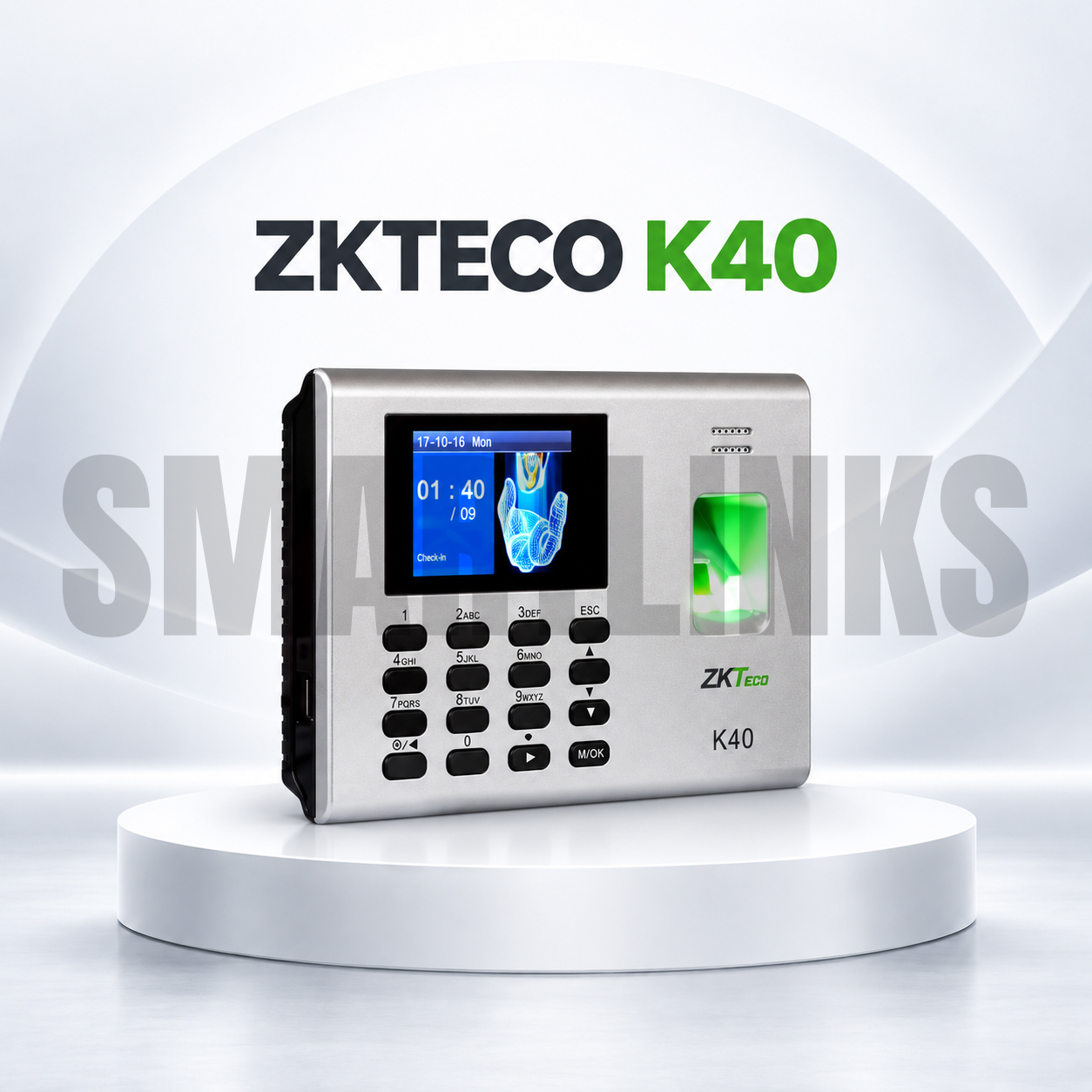
2.8-inch TFT color display.
-
Fingerprint capacity of 1,000 with SSR, or up to 2,000 without SSR.
-
Storage for up to 80,000 attendance records.
-
Fast fingerprint verification in 0.5 seconds or less.
-
TCP/IP networking for attendance data transfer.
-
USB Host connection for convenient data management.
-
Built-in battery for backup during power interruptions.
-
Optional RFID ID/Mifare card recognition.
-
Optional self-service attendance reports in Excel format.
-
Work Code and Automatic Status Switch functions.
-
Self-Service Query and Scheduled Bell support.
-
Daylight Saving Time and nine-digit user ID support.
-
Basic access control or external bell connectivity.
-
Compact design suitable for indoor wall installation.
Discover More: ZKTeco
Description
ZKTeco K40 Fingerprint Attendance Machine
The ZKTeco K40 is a compact biometric time attendance terminal designed for organizations seeking an organized way to record employee working hours. It replaces handwritten registers with electronic fingerprint verification, helping administrators review arrivals, departures, and attendance activity. Its practical display, wired network connection, and backup battery make it a suitable option for offices, shops, educational institutions, warehouses, and other indoor workplaces. Businesses can introduce structured attendance procedures.
Efficient Fingerprint Verification
Employees register their fingerprints with the terminal and use the reader when checking in or out. Published K40 specifications indicate verification within approximately half a second under suitable conditions. The commonly listed configuration supports 1,000 fingerprints when self service reporting is enabled, or 2,000 without that feature. Enrollment quality, finger condition, sensor cleanliness, and configuration can influence actual recognition performance. Test recognition before relying on payroll records.
Clear Screen and Everyday Controls
A 2.8 inch TFT color screen displays menus, confirmation messages, and attendance information. Authorized administrators can register users, update settings, and check available records directly on the terminal. Supported functions include work codes, automatic attendance status switching, scheduled bells, daylight saving time adjustments, and self service queries. Nine digit user identifiers help distinguish enrolled employees. These tools support varied workplace schedules.
TCP/IP and USB Data Management
The ZKTeco K40 supports TCP/IP communication for connecting to a compatible local network and transferring attendance records to suitable software. A USB Host port provides an alternative method for exporting supported information. This is helpful when computers are not permanently connected. The K40 is generally associated with ZKTime 5.0, while other software compatibility depends on firmware and regional support. Check the chosen program and operating environment before installation. The standard model should not be advertised as having built in WiFi.
Backup Battery for Power Interruptions
A built in battery helps maintain operation during some power interruptions, reducing disruption to normal attendance activity. Actual backup duration depends on battery condition, device usage, and charging history. The terminal normally uses a 12V DC, 1.5A power supply. For business continuity, administrators should still maintain periodic record exports and a clear process for unexpected outages. Keeping the attendance device accessible and correctly powered can improve the daily employee experience.
Attendance Capacity and Reporting
Published specifications for the commonly sold K40 list storage for 80,000 transaction records. Optional self service reporting can enable supported attendance summaries and Excel exports without requiring every report to be created manually on a computer. Record availability, report formatting, and feature limitations depend on firmware configuration. Administrators should verify the intended reporting workflow and maintain appropriate backups. Access to employee biometric information should be restricted to authorized personnel, with sensible retention and privacy practices.
Basic Door Access Options
Alongside attendance tracking, the K40 provides simple access control or external bell functionality. With compatible third party components, an installer can connect an electric lock and exit button for straightforward entry arrangements. This does not make the terminal a replacement for a dedicated advanced access control system. Check wiring, safe exit provisions, and hardware compatibility before connecting any door equipment. Optional ID or Mifare card recognition is available only when the appropriate reader variant is supplied.
Buy ZKTeco K40 in Pakistan
Smartlinks.pk offers the ZKTeco K40 for workplaces comparing biometric attendance solutions in Pakistan. Before ordering, confirm the available fingerprint capacity, optional card reader, reporting features, accessories, warranty terms, and compatible software. Select the configuration that fits your staff size and daily procedures, and arrange professional installation where necessary. A carefully configured system helps businesses maintain consistent attendance records and supports smoother administration over time for growing teams.
Discover More from ZTKeco
Want to explore more about ZTKeco product? Visit the official ZTKeco website for product insights, support, and the latest smart security solutions.
Official Resource: Explore ZTKeco





Reviews
Clear filtersThere are no reviews yet.