


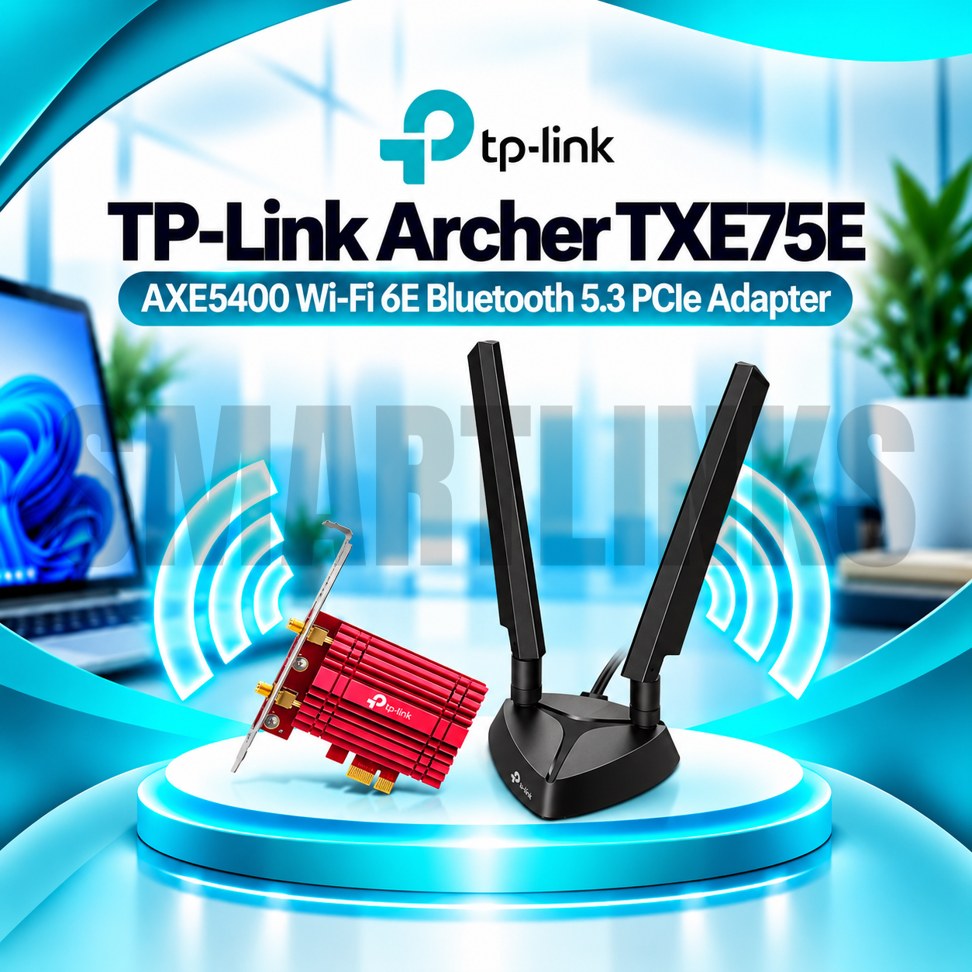


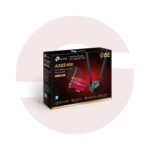
TP-Link Archer TXE75E AXE5400 Tri-Band WiFi 6E PCIe Adapter with Bluetooth 5.3 & High-Gain Antennas

- AXE5400 WiFi 6E – Fast tri-band connectivity
- 6GHz: 2402Mbps – Less crowded WiFi band
- 5GHz: 2402Mbps – High-speed wireless connection
- 2.4GHz: 574Mbps – Everyday connectivity
- Bluetooth 5.3 – Wireless accessory support (V1)
- Dual High-Gain Antennas – Improved reception
- Magnetic Antenna Base – Flexible placement
- OFDMA & MU-MIMO – Efficient network performance
- WPA3 Security – Enhanced WiFi protection
- PCIe Interface – Internal desktop installation
- Discover More: TP-Link Adapters.
Description

TP-Link Archer TXE75E AXE5400 WiFi 6E PCIe Adapter
The TP-Link Archer TXE75E is a tri-band WiFi 6E PCI Express adapter designed to upgrade compatible desktop computers with modern wireless networking and Bluetooth connectivity. It combines AXE5400 wireless capability, two high-gain antennas, a magnetic antenna base, and security features in one internal expansion card. This makes it suitable for users who want flexible wireless access for work, study, streaming, and entertainment without relying on an external USB WiFi adapter.
Tri-Band AXE5400 Wireless Performance
The Archer TXE75E supports theoretical wireless link rates up to 2402Mbps on 6GHz, 2402Mbps on 5GHz, and 574Mbps on 2.4GHz. The additional 6GHz band offers access to spectrum that older WiFi devices do not use, potentially reducing congestion. Access requires a compatible WiFi 6E router, supported operating system, and permitted regional settings. These advertised rates are not combined into one connection, and actual internet speeds depend on signal conditions, equipment, and your service plan.
Bluetooth for Everyday Accessories
Bluetooth connectivity lets compatible desktops connect wireless headphones, keyboards, mice, and game controllers. TP-Link lists Bluetooth 5.3 for the Archer TXE75E V1, but specifications can vary by hardware revision and region. Bluetooth functionality requires connecting the supplied header cable to an available internal USB connector on the motherboard. Confirm the exact hardware version and motherboard compatibility before installation.
Flexible High-Gain Antennas
Two external high-gain antennas attach to a magnetized base, allowing flexible positioning around a desktop workstation. The supplied cable helps place the antennas away from a metal computer case or furniture that might obstruct reception. Moving the base can improve reception in some environments, although thick walls, distance, nearby electronics, and router placement continue to influence wireless quality.
OFDMA and MU-MIMO Technology
OFDMA and MU-MIMO help compatible wireless networks communicate efficiently when several devices are connected. These technologies can improve network responsiveness during simultaneous browsing, meetings, downloads, or streaming. Their benefits depend on router capabilities, other connected devices, and overall network activity. They cannot increase the internet speed provided by your subscription or guarantee low latency under every condition.
WPA3 Wireless Protection
WPA3 provides an updated wireless security option when the router and operating system support it. Earlier compatible security modes may also be available. Use strong passwords, trusted drivers, and current router firmware to protect your network. Security capabilities and setup options can vary with hardware version and system configuration.
PCI Express Installation
The Archer TXE75E installs into a compatible PCI Express expansion slot inside a desktop computer. Before installation, shut down the PC, disconnect power, and follow suitable static electricity precautions. Check that your motherboard offers a free slot and an internal USB header for Bluetooth. The package includes a low-profile bracket for compatible smaller cases. This adapter is not designed for ordinary laptop expansion slots.
Windows and 6GHz Compatibility
TP-Link lists Windows 10 and Windows 11 in 64-bit editions for the V1 adapter. Its Pakistan documentation specifies 6GHz operation on Windows 11. Confirm driver availability for your exact hardware version, and check local regulatory requirements before advertising or using 6GHz connectivity. A WiFi 6E router is required to access the newer band.
Practical Desktop Upgrade
Overall, the TP-Link Archer TXE75E offers AXE5400 WiFi 6E, Bluetooth connectivity, adjustable antenna placement, OFDMA, MU-MIMO, and WPA3 support. It can help modernize a compatible desktop for daily connectivity while retaining access to older wireless standards. Verify your hardware revision, router compatibility, motherboard connections, and operating system before purchase. Wireless link rates are theoretical, not guaranteed download speeds.
For best results, place the antenna base away from metal objects, install the official drivers, and review router channel settings when performance varies.
Discover More from TP-Link
Want to explore more about TP-Link WiFi Routers? Visit the official TP-Link website for product insights, support, and the latest smart security solutions.
Official Resource: Explore TP-Link











































Reviews
Clear filtersThere are no reviews yet.